
Adaris Vision · custom computer vision
Turn the video from your cameras into clearer decisions.
Adaris Vision Studio turns real images and video into reviewed material and a practical solution. Adaris Vision Player runs it locally, with the detection, analysis and alerts your installation needs.
Studio
What does Adaris Vision Studio do?
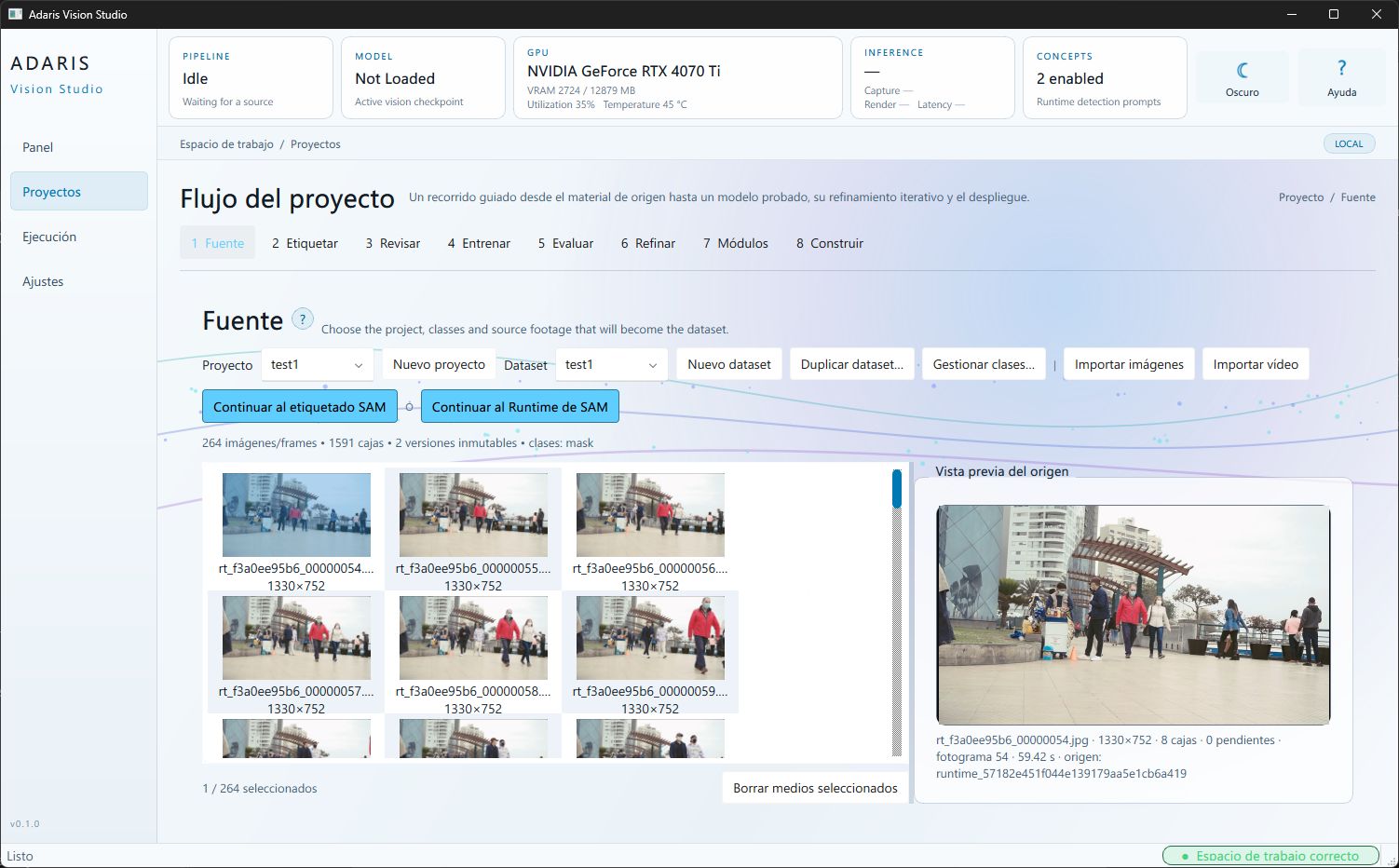
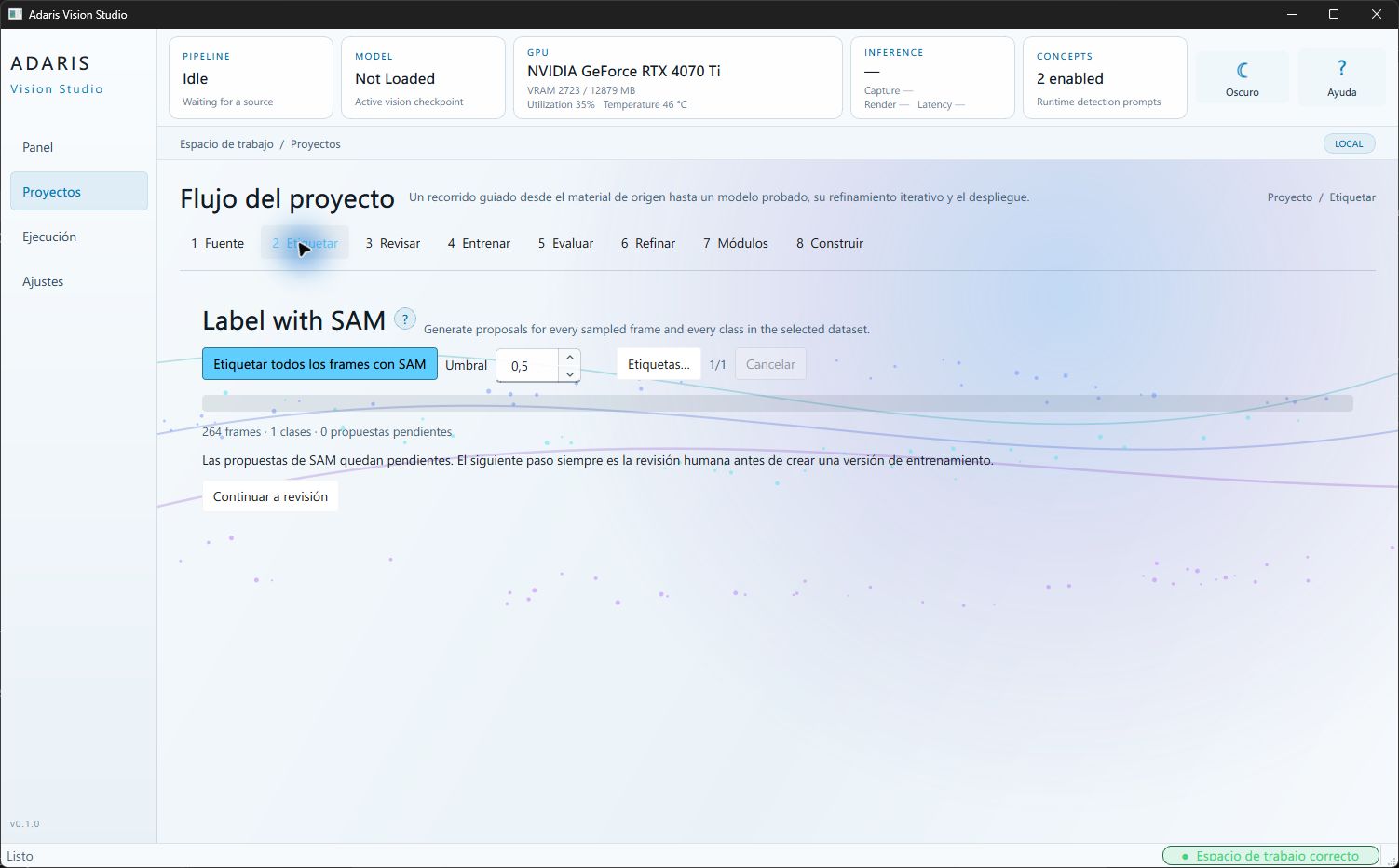
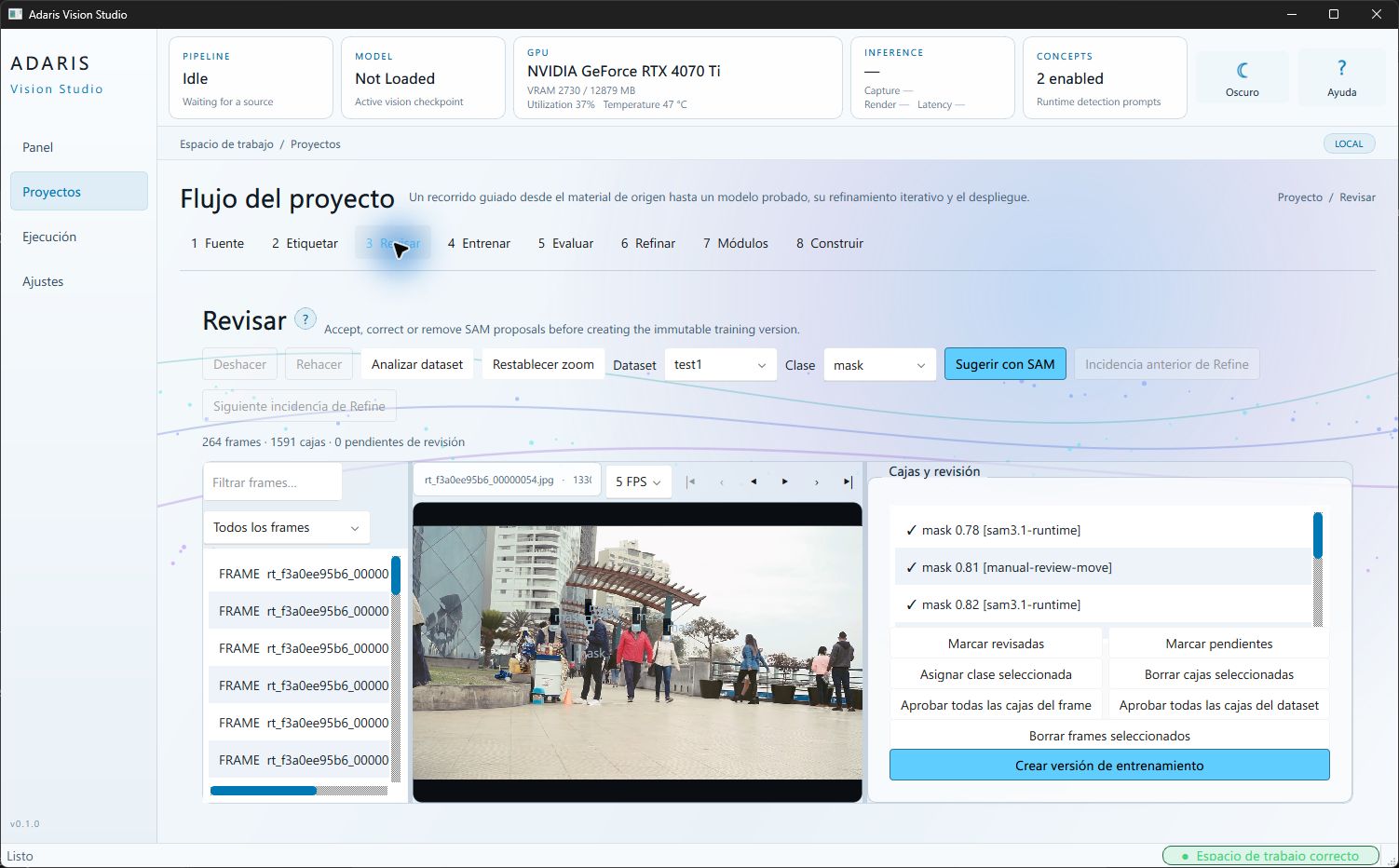
Adaris Vision Studio works with real images and video, suggests detections and lets a person correct the important cases. It helps compare results, improve the solution and prepare Adaris Vision Player for the job.
- 01
Material
Bring in the images or video that show the business problem.
- 02
Assist and review
The tool suggests detections; a person corrects, approves or rejects them.
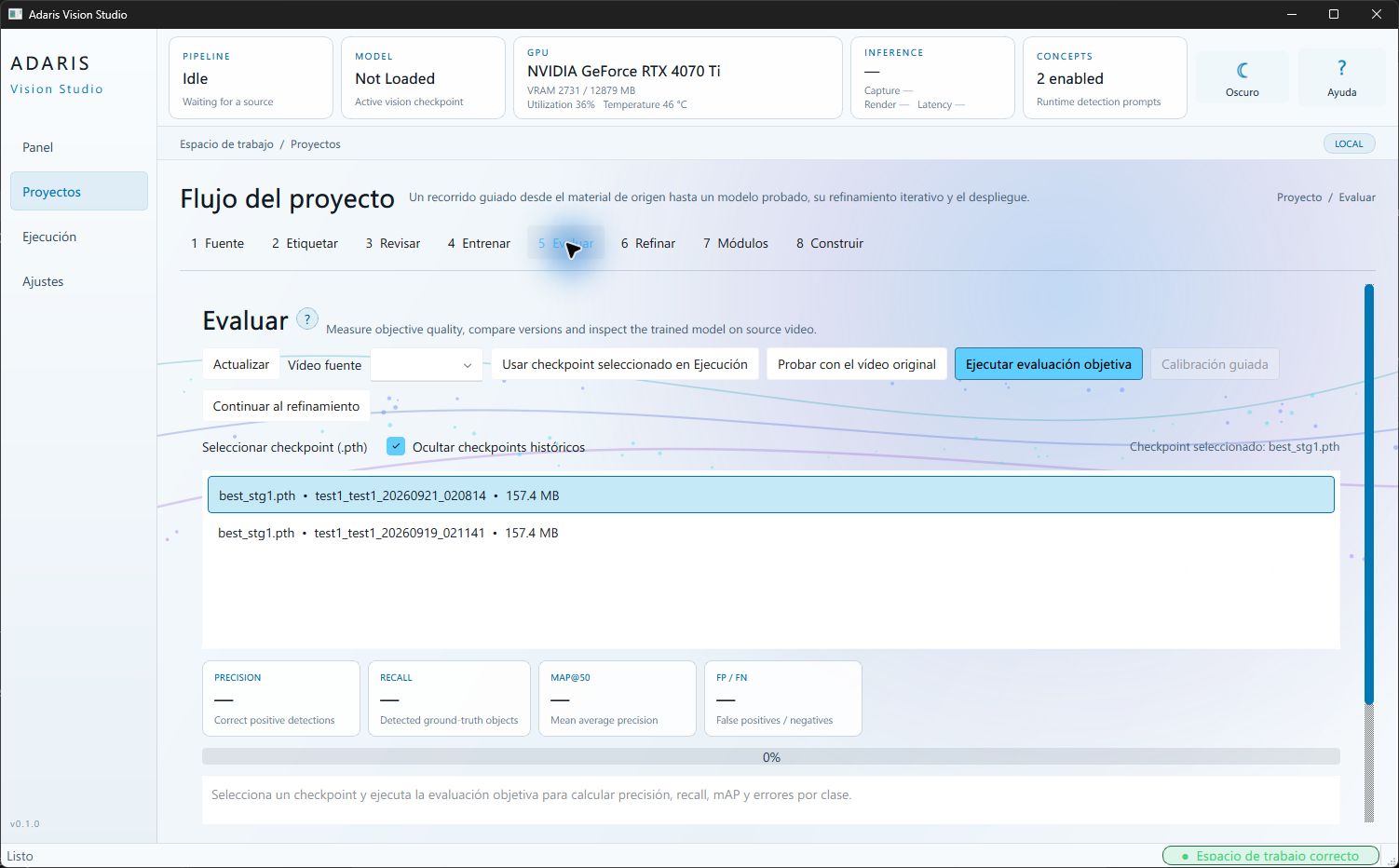
- 03
Compare and validate
Keep a reviewed set of examples, let the system learn from it and compare what it detects, misses or gets wrong.
- 04
Improve and prepare
Use uncertain cases to improve the solution, then prepare the evaluated application.
Player
What does Adaris Vision Player do?
Adaris Vision Player runs the approved solution locally. It can work with a screen region, video file or network camera, keeping video analysis on the installation instead of sending it automatically to the cloud.
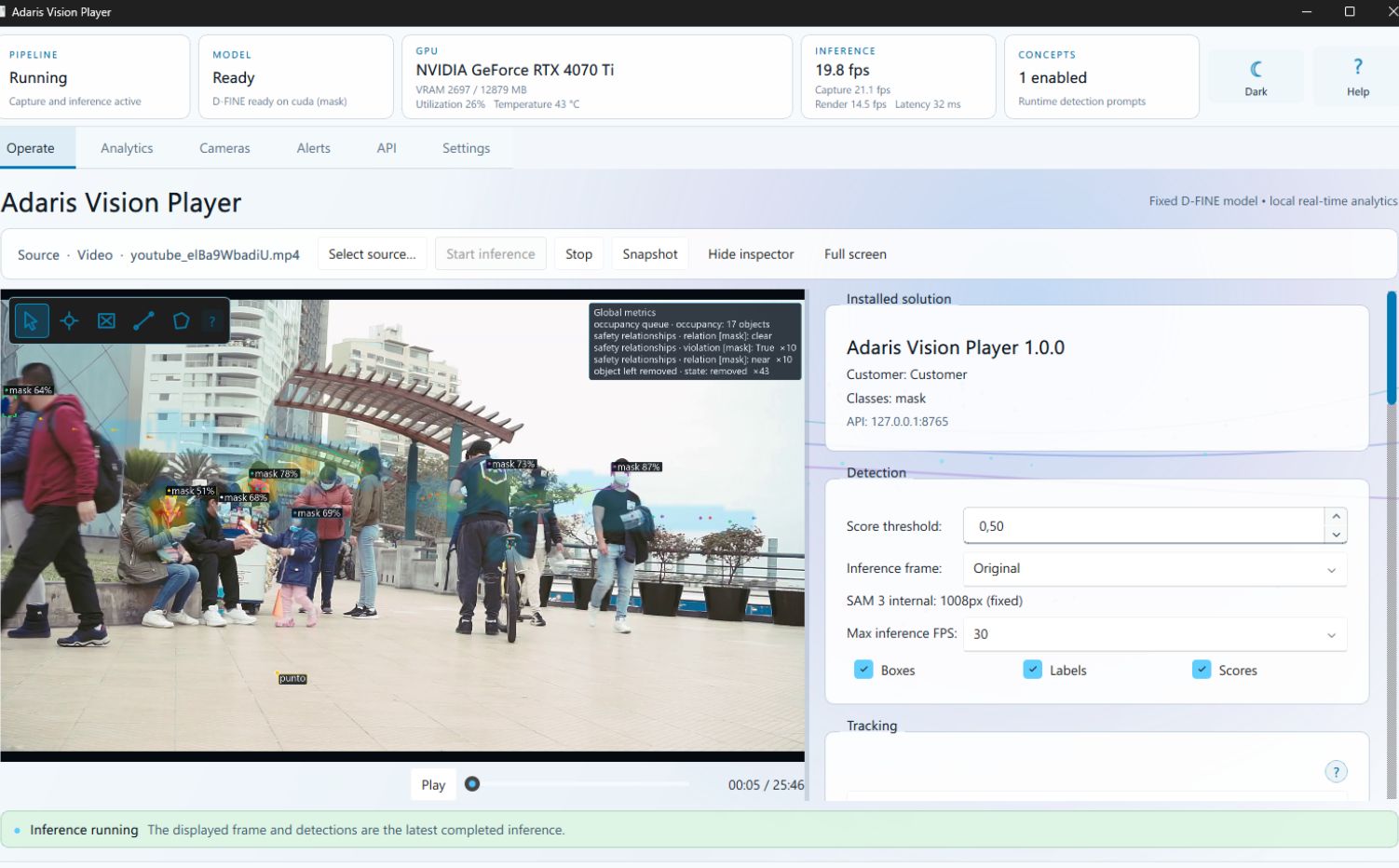
- Screen region, video file or network camera
- Local video analysis that follows objects over time, with zones, counts, heatmaps and paths
- Rules, alerts, evidence clips and an operational alert history
- A local connection with business software and other systems
Each Player works with one active source at a time. Capabilities, sources and configuration depend on the package and license.