
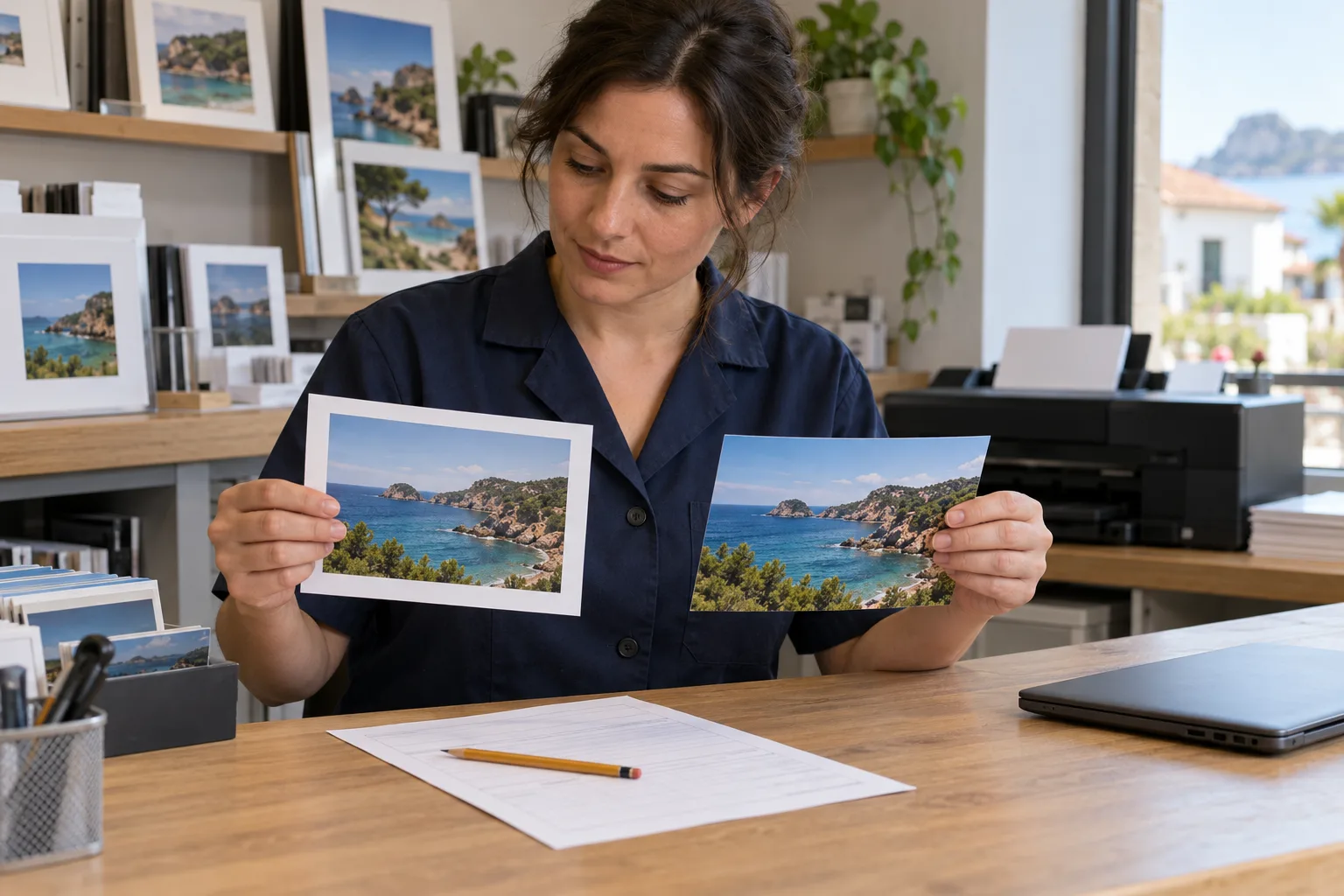
Whole image, fixed size and no borders: clarify the choice first
“All at 10 × 15, no cropping and no borders.” If the file and paper have different proportions, these instructions need clarification: keeping the entire image without distortion requires space around it or a different paper format; filling the paper may require cropping. Do not decide which condition the customer should abandon.
This guide proposes using text AI to draft questions per print before production. The useful task is separating format, cropping, margins and approval, even when one file appears on several order lines. A fictional case and manual reference are included; the pilot has not been run and has no measured results.
Three decisions that do not fit in a “white border” checkbox
Separate paper size, image fitting and the decorative frame. A white border selected as a finish does not, by itself, establish that the whole file has been fitted. Nor do similar file and paper proportions justify promising that production will preserve every detail.
Saal Digital documents bleed mode separately from the frame. In its app, individual mode attempts to fit the whole file but retains 2 mm of production bleed. That figure belongs to that service, not every laboratory. Check your product’s current specifications.
CEWE distinguishes variable-width prints retaining original proportions from fixed formats that may require cropping. Fotoprix describes reviewing the crop for each image. These are options described by those suppliers, not checks of their interfaces or available connections to your software.
- Paper: record the requested product and size. “10 × 15” may be a commercial name; confirm actual dimensions in the laboratory’s product sheet rather than treating it as a universal tolerance.
- Cropping: retain the exact request for the whole image, filling the paper or a particular crop. Ask if it is missing; do not infer a choice from a thumbnail.
- Margins and frame: distinguish space needed to fit a different proportion from an added decorative border. Check how the supplier handles each.
- Approval: link each choice to the order line, file and proof version. Approval of one print does not extend to all prints sharing that file.
The fictional order: one file, two different purposes
All data below are invented. F1 is paisaje.jpg, 4000 × 3000 pixels, with a 4:3 ratio recorded by the operator. F2 is plaza.jpg, 4500 × 3000 pixels, with a recorded 3:2 ratio. No photographs of people are attached, and the assistant is not asked to inspect images or calculate dimensions.
P1 is the order sheet. Here, “15 × 10” describes the requested nominal landscape format; it does not define any supplier’s physical dimensions. N1 is a note linked only to L2: “Add a white border.” It specifies neither thickness, fitting mode nor acceptance of a different size. No print proof has been approved.
| Line and file | Requested format | Cropping request | Status |
|---|---|---|---|
| L1 · F1 | 15 × 10 cm nominal | Whole image, no borders, no distortion | Needs clarification |
| L2 · F1 | Variable format; final size to be confirmed | Preserve composition; N1 requests white border | Needs clarification |
| L3 · F2 | 15 × 10 cm nominal | Fill paper; lose no detail at edges | No approved proof |
A useful response contains three different questions
Manually written reference, not observed AI output: for L1, F1’s 4:3 shape differs from the requested nominal 3:2 format. Ask what can change: accepting margins, choosing another format or reviewing a crop. None is authorised. Do not stretch the photo or propose filling the scene with generated content as though it were the original.
L2 uses the same F1, but its intent is to preserve composition in a variable format. Do not copy L1’s conflict to this line or close the order: final size, edge treatment and N1’s border still need confirmation. The requested frame does not replace reviewing the crop.
For L3, matching recorded proportions and nominal format does not establish that every edge detail will survive. Request product specifications and an identified proof for operator review and customer approval before production. Do not infer adequate quality, colour or resolution from the ratio.
Try this instruction with the sheet and note
Copy only fictional F1, F2, P1 and N1 into a text assistant. If you use Claude, its documentation recommends allowing it to acknowledge uncertainty; correct answers are not guaranteed. The following is a proposed trial, not a verified feature of laboratory software.
“Draft questions to clarify this fictional order. One row per order line, even when a file repeats. Preserve reference, recorded ratio, nominal format, cropping request, frame and approval status. Cite P1 or N1 and the line when justifying each question. Do not calculate dimensions or crops; do not extrapolate production dimensions. Do not confuse a decorative border with fitting the whole image. Do not resolve conflicting conditions, choose options, stretch or fill images. Return missing information and a draft query per line, without sending messages or marking anything approved.”
Check each sentence against the documents. An output saying “L2: white border, therefore guaranteed uncropped” needs correction. It also fails if it changes both F1 prints to one option, supplies a final L2 size or approves L3 because 3:2 matches. The operator prepares and reviews the real proof; the customer confirms the corresponding choice.
A pilot measuring order errors, not writing speed
First solve the exercise manually with a table. Then compare that reference with the assistant’s draft. If the table and your current procedure suffice, you do not need AI. The proposed hypothesis is whether it helps organise differently worded requests, not whether it can decide the crop.
Make two variations, always on fictional copies: change only L1 to accept margins while retaining its pending approval; it should no longer present the same “no borders” conflict. Then restore the original and remove only document N1: P1 still says that N1 requests a white border. The review should retain that reference and request the missing note before specifying the border; it must not turn L2 into an order without a border. These are proposed checks, not executed trials.
- Count omitted conflicts, invented choices, confusion between lines sharing a file and unsupported preservation guarantees.
- Record preparation, cross-checking and corrections alongside the full manual procedure. Retain failures and the documents needed to reproduce them.
- Do not send the output to print. Decide which errors require discarding a draft and review every query before use. The pilot does not validate colour, sharpness or cutting tolerances.
When to assess an internal tool for the laboratory
A manual assistant trial means copying fictional data and reviewing a draft. Connecting automation would require checking permissions, per-print identifiers, proof versions, export formats and approval authority. Do not assume compatibility with Saal Digital, CEWE, Fotoprix or your laboratory software.
With Adaris you can assess a defined development project gathering authorised requests, keeping each line linked to its proof and drafting outstanding questions for human review. Feasibility, inputs, acceptance criteria and a quote are agreed case by case. Adaris develops custom software and AI integrations; this proposal is not an existing product for photo laboratories.
Use fictional trial data like these. Before using real orders or photographs, check permissions and appropriate access, use and retention conditions. A commercial enquiry can describe the workflow without attaching photographs or private customer details. Commercial support is in Spanish.
Related services
Sources
Does each print arrive with different instructions?
Describe how you link orders to proofs and who approves each print. We can assess a defined development scope; commercial support is in Spanish.