
The alert does not finish the job
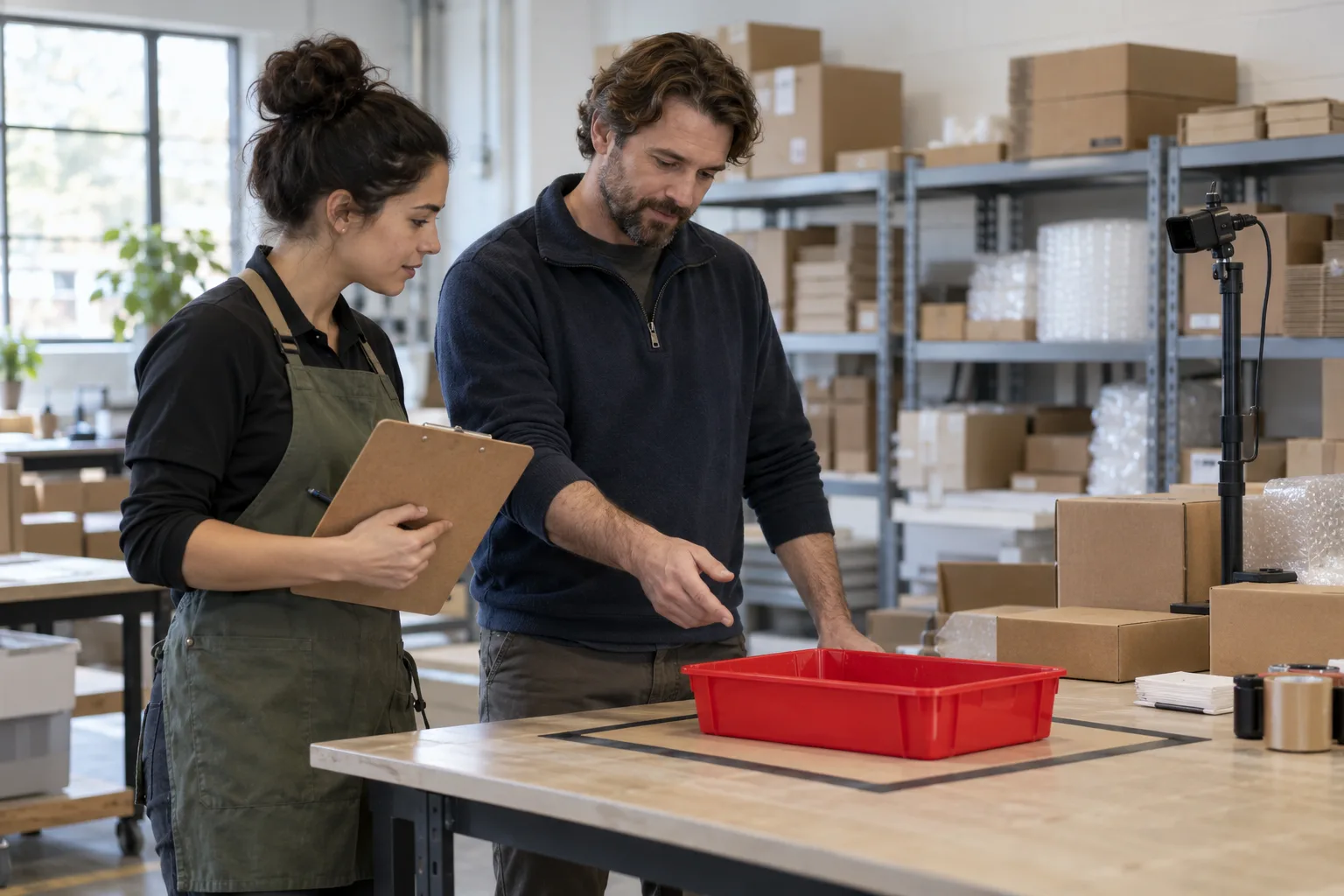
A tray is still on the output table. The camera flags the situation, an alert arrives and someone opens it. Who checks what is happening, and who confirms that the tray has been removed? For a useful custom computer vision pilot, separate four moments: detection, alert delivery, human review and incident closure against an agreed criterion.
This guide proposes an ownership worksheet and checks for that handoff. The entire tray scenario is fictional: it describes no customer, completed installation or Adaris results. The initial trial would be supervised, without commands to machinery. Whether a camera can locate that tray in your setting needs testing on representative material.
What Adaris contributes and what your team needs to define
Adaris custom computer vision starts with what must be detected, scene conditions and tolerable errors. Its public service scope includes reviewable detections, counts and alerts, tested on real images with human control. The specific scope, equipment and integration are agreed for each case.
In that workflow, Studio prepares and reviews material, supports result comparison and prepares the solution; Player runs the package locally with the agreed sources and options. The public tour describes rules, alerts and evidence. Each Player works with one active source at a time; capabilities depend on its package and licence.
Those features do not by themselves decide who handles an incident in your business. This worksheet proposes a process: it is not a Player screen or a promise that a connection to your task software is already available.
Write the business rule before choosing the channel
Fictional scenario: the team wants to review a red tray remaining in an output area beyond the time agreed for the trial. The colour only identifies the example sample; it does not mean a defect, urgency or rejected goods. First agree which tray and area can be observed, how long the condition must last and what to do if the image is inconclusive.
Do not use a number of seconds from another installation as a universal criterion. The process owner must decide which delay needs review and when an observation is insufficient. Define what happens outside staffed hours before choosing email, an application or any other destination.
| Decision | Example proposal | Still to agree |
|---|---|---|
| Situation | Tray awaiting removal in the agreed area. | Observable object, area and duration. |
| Owner | An operations team member reviews the case. | Owner, backup and staffed hours. |
| Initial destination | Manual pilot log. | Whether to integrate a specific system later. |
| Closure | A person verifies removal and records it. | Sufficient evidence, owner and closure reason. |
| Outside scope | Content quality and equipment commands. | Do not infer these from tray presence. |
Received, reviewed and resolved are different states
In the manual trial sheet, reserve a reference for each case and record the observation, alert receipt, human review and closure separately. Do not mark a case resolved because someone opened a notification. If the person cannot confirm what happened, keep it pending with a specific question.
If the same alert arrives twice, check its reference and evidence before opening another task. A second delivery of the same event does not establish another pending tray; equally, do not merge distinct cases just because they happen close together. These are proposed log and future integration criteria, not a product guarantee of automatic deduplication.
The Cognex manual distinguishes inspection results and acknowledgement of receipt. MVTec documents the vision task separately from communication with the controller. These references describe other ecosystems: they help frame result-delivery questions without establishing compatibility or equivalence with Adaris. Separating receipt from business-case closure is the criterion proposed here.
Prepare a log that lets you reconstruct the case
Use fictional data only to prepare the worksheet. This table is a proposed manual template, not a report exported from Player. Leave times, results and reasons blank until the authorised trial takes place.
| Field | What to record | Purpose |
|---|---|---|
| Reference and observation | Case reference, time and authorised scene or sample. | Connect the alert to the reviewed case. |
| Delivery | Intended destination, observed receipt or delivery failure. | Separate detection from communication. |
| Review | Person, time, confirmation or specific uncertainty. | Know who checked the situation. |
| Decision | Pending, dismissed with a reason or confirmed closure. | Avoid equating opening an alert with resolution. |
| Conditions | Insufficient image, changed scene or another limitation. | Identify what could not be assessed. |
A first pilot that also tests failures
Agree one scene, one source, one rule and a human reviewer with Adaris for a trial without equipment actions. Reserve situations with a tray, without a tray and with insufficient visibility, and prepare a human reference for comparison. Do not fill in results in advance.
To check the handling process before connecting it, use the fictional sheet to rehearse a repeated delivery, an unattended destination and removal without human confirmation. If a connection is then developed, its acceptance must check those behaviours in an authorised environment. Do not interrupt shared networks or systems to simulate failures.
Record missed detections and alerts without a reference situation; measure time to human review and cases still pending at the end of the trial separately. Keep the evaluated set and conditions alongside each measure. Targets and acceptance criteria are agreed beforehand; no accuracy rates or measured improvements are reported here.
If no usable image is available, record “not assessable”, rather than “empty area”. If nobody can take ownership or the alert cannot be matched to evidence, leave acceptance pending and address that cause. The tray disappearing from view does not certify its destination or the shipment contents.
A manual assistant does not connect the cameras
A text assistant can help organise the procedure using fictional information. For example: “Using this invented pending-tray worksheet, separate observation, delivery, review and closure. List missing information. Do not invent times, owners or results; do not mark a case resolved just because the alert was received.” Review its answer with the process owner.
That conversation does not analyse the camera, change Player or create tasks in your application. A connected automation requires agreement on destination, minimum permissions, case references, repeated deliveries, errors, logging and human review. Compatibility with your system must be assessed and tested; an existing connector is not assumed.
What to bring to your first conversation with Adaris
Bring the observable problem, the decision you want to support, who will review the result and what should happen to a pending alert. Add difficult cases and the destination you would like to assess. Credentials and personal data are unnecessary for that initial description.
Before sharing real images or commercial information, agree permissions, processing terms, evidence access and retention, and an appropriate channel. Ask for a pilot with clear scope and acceptance criteria, plus a separate assessment of the integration you actually need. Commercial contact is in Spanish.
Related services
Sources
What should happen after the alert?
Describe the scene, the reviewer and the intended destination. We will agree pilot scope and assess the integration needed. Commercial contact is in Spanish.